Z3 EMS issue

Steve00oo

Regular Member
Joined
May 8, 2023
Points
13
Hi fellow Z3 enthusiasts! First time post and hoping someone can help. I bought a 1998 Z3 roadster 2.8 and it was running great!

Then I bought this AK90 key creation device to make an extra key. I finally located my EWS behind the glovebox and removed it and hooked it up to the device to read the data and wrote my key after I had it cut. It worked!

now after I reinstalled my EWS module, the car cranks strong but does not start? Did I screw something up by messing with the EWS or is it unrelated?

thanks for any help!

Steve
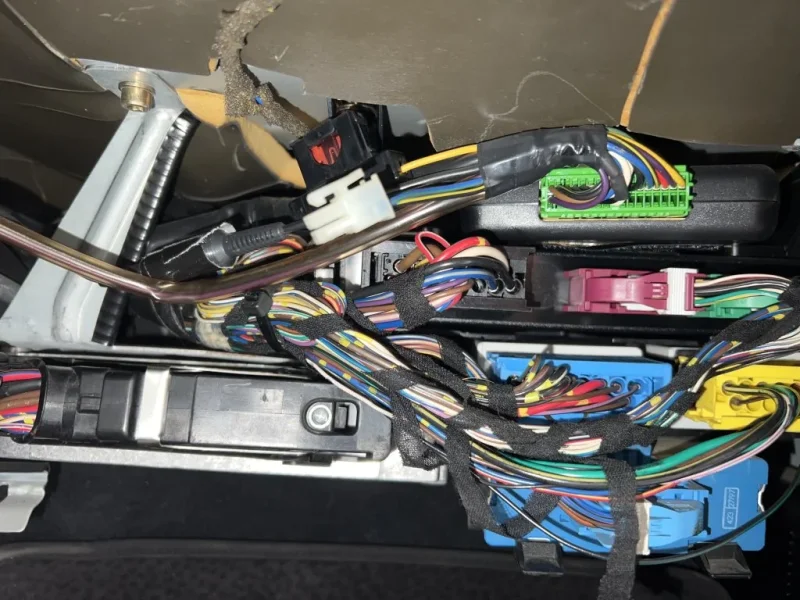
 
Here is the electronic connections behind glovebox. EWS is the yellow one on the bottom right.
 

Attachments

  • image.webp
    image.webp
    130.5 KB · Views: 82
There is a security code shared between the DME and EWS on start. If the code is different in each module, then the DME enables the drive away protection and stops the fuel pump, injectors and spark. Car cranks, but will not start.

I think you have upset security code.

It can be reset with INPA Get it here: https://www.bimmerforums.com/forum/...tions-Experiences-Discussions-Experimentation

There are videos on YouTube on how to do the resetting.
 
Thank you - that’s what I thought. Let me check your link to see what I can do about that.
 
It definitely could be as Murray has said if so plug in a diag tool of some sort see what fault codes showing
If one is a rolling code synchronisation error then you need to reset it all as per above.
The key sends a code to the EWS it then looks for the same code from the DME if they dont match the car won't start.
But its also a rolling code system so the codes change.

This video explains how it works
View: https://youtu.be/2yLN2jjh-L4


Stephen.
 
Thanks, I ran a diagnostic scan through the OBD with an Ancel BMW multi-system scanner and it did not come up with any fault codes, however, when I ran a diagnostic just on the EWS immobilized system, it said it could not find it?
 
You need to connect to the 20 pin diagnostic port under the bonnet/hood to talk to all modules. The OBD2 port is only for the engine DME and Auto transmission EGS.

There are 20 pin to OBD2 connectors on eBay
 
You need to connect to the 20 pin diagnostic port under the bonnet/hood to talk to all modules. The OBD2 port is only for the engine DME and Auto transmission EGS.

There are 20 pin to OBD2 connectors on eBay

I have a 16 pin K+DCAN USB Interface connector for the INPA software - I guess I need to get an adapter to the 20 pin round connector?
 
*** NEVER MIND - I found out how to change the compatiblility settings in the properties. "Hi guys. I think I have everything I need, although I am working on a Windows 10 laptop and the instructions included in the INPA pack downloaded, it says that you need to install the application 'Standard_Tools_Setup' with Windows XP. Sure enough, when I try to install the application, it tells me I need XP. Originally, the thread said that it is ideally better to run this in Windows 7, so I'm really confused. Also, I can't find any good YouTube videos to guide me through this. Any ideas. Thanks so much for your help - you guys rock!"
 
Last edited:
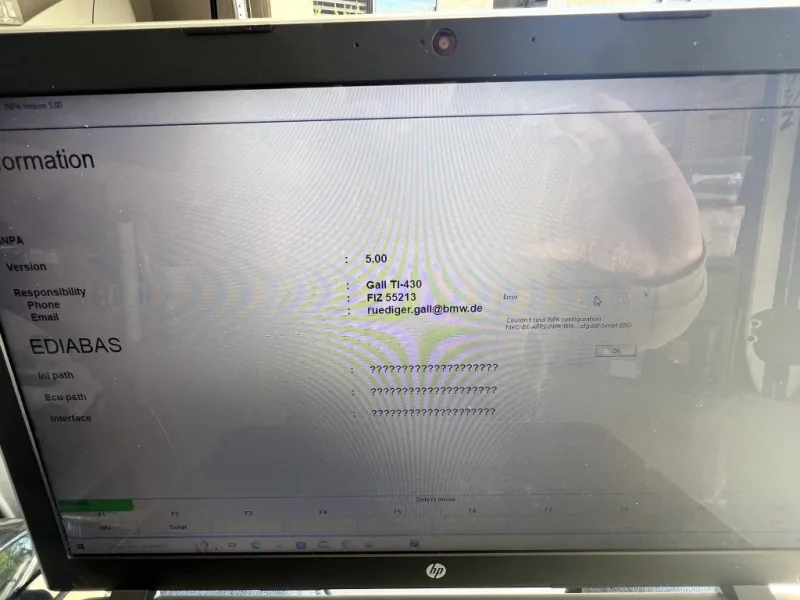
Well, I methodically went through all the steps and bought the correct cables and launched the INPA Diagnostic software and hooked up my K+DCAN USB cable to my 16 to 20 pin adapter into the OBD2 port under the hood.

I was so hopeful since I watched several YouTube videos and followed the directions to a tee. But it did not recognize my car and gave me a KVP message when trying to read the info. I tried the switch on the K+DCAN on and off with ignition on and off, but no luck.

The only thing I could not do was configure my port settings on Windows 10, because there is no serial ports, so I assumed it would default to USB port.

I have spent several days / hours on this and close to giving up and towing my Z3 to the dealership to pay the thousands of dollars to fix this problem. Can anyone please help?

Thanks so much! 🙏
 
What is the build date of your Z3.

The most common problem with setting up INPA is to have different virtual com port settings.

With your K+DCAN lead plugged into your computer, go to device manager. Record the com port assigned to the "Ports (Com & LPT)" / "USB Serial Port (COM XX)"

Check the setting in C:\EDIABAS\Bin\ODB.ini and make sure that the correct com port is being called.
 
1998 BMW Z3 2.8 roadster build Oct 1997. Windows 10 has no port settings in the device manager - it says “no com port settings, contact administrator” - usb only and no serial ports on the 2016 HP laptop.

Thanks for your help!
 
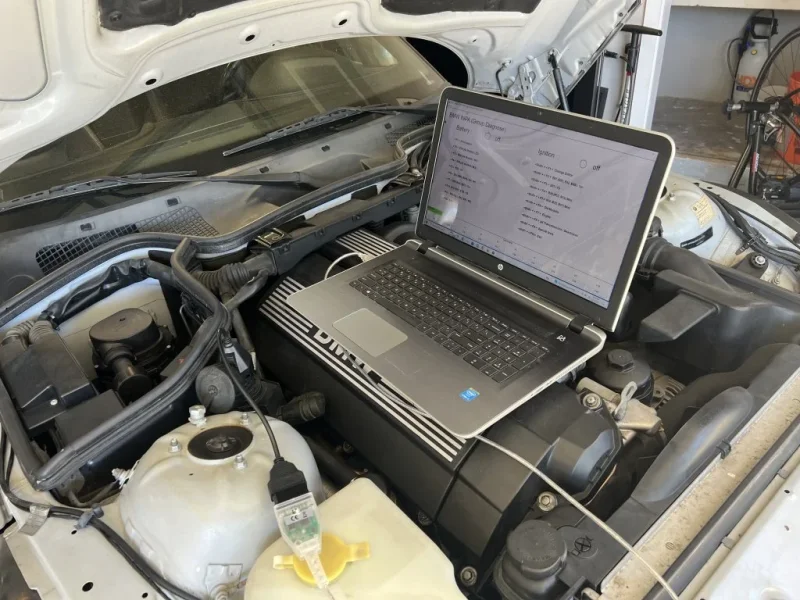
This is the connection and the INPA software connected - no indication of battery or ignition
IMG_2564.webp
IMG_2561.webp
 

Attachments

  • IMG_2562.webp
    IMG_2562.webp
    130.7 KB · Views: 58
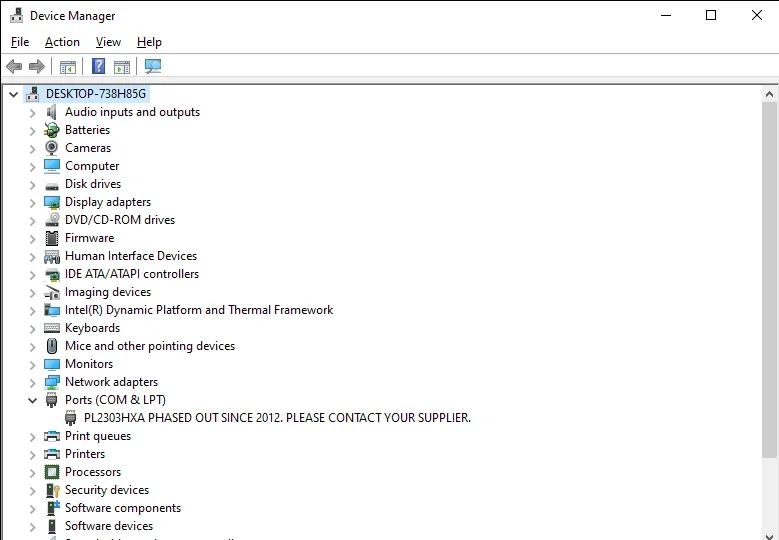
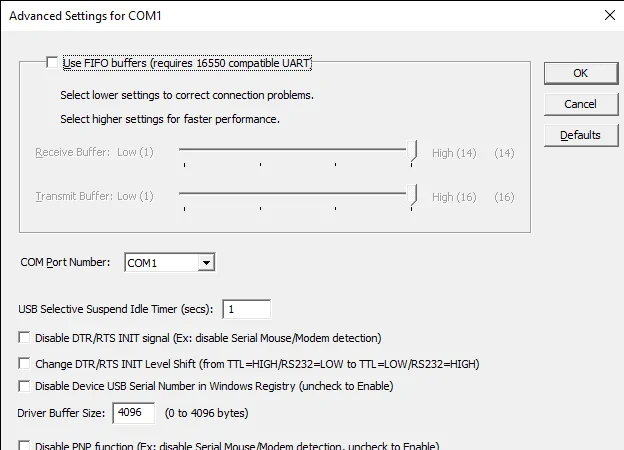
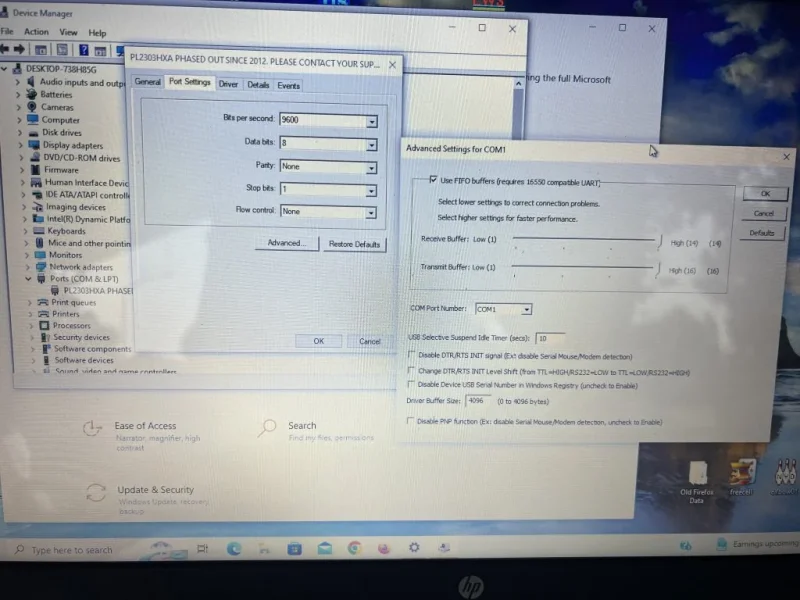
I see my settings are a little different. Does this look right? Thanks again 🙏
 

Attachments

  • PortSettings.webp
    PortSettings.webp
    7.2 KB · Views: 53
  • Device Manager 5_18_2023 8_43_29 AM.webp
    Device Manager 5_18_2023 8_43_29 AM.webp
    29 KB · Views: 50
  • Advanced Settings for COM1 5_18_2023 8_51_09 AM.webp
    Advanced Settings for COM1 5_18_2023 8_51_09 AM.webp
    28.4 KB · Views: 56
My Com port advanced settings are completely different.

Suggest trying a different computer as yours looks to have the Serial/USB Emulation disabled.
 
Thanks so much for your help Zorg Guru!
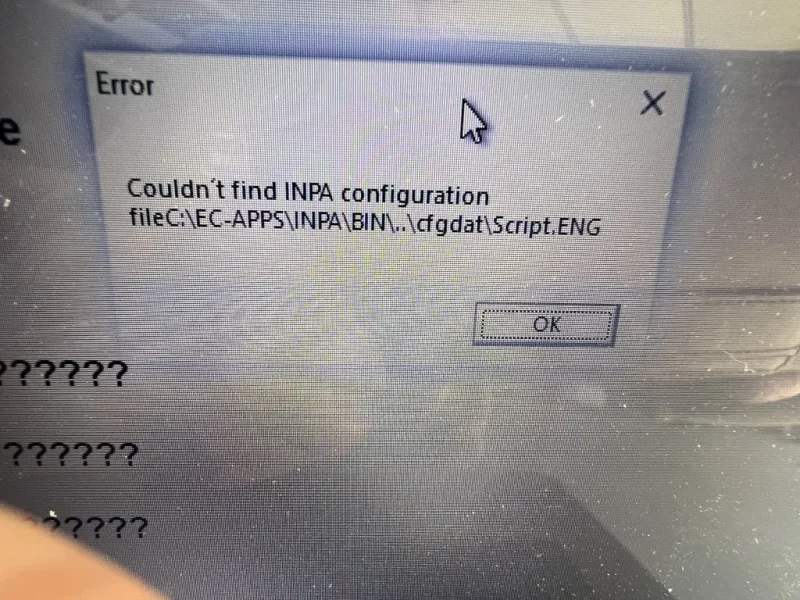
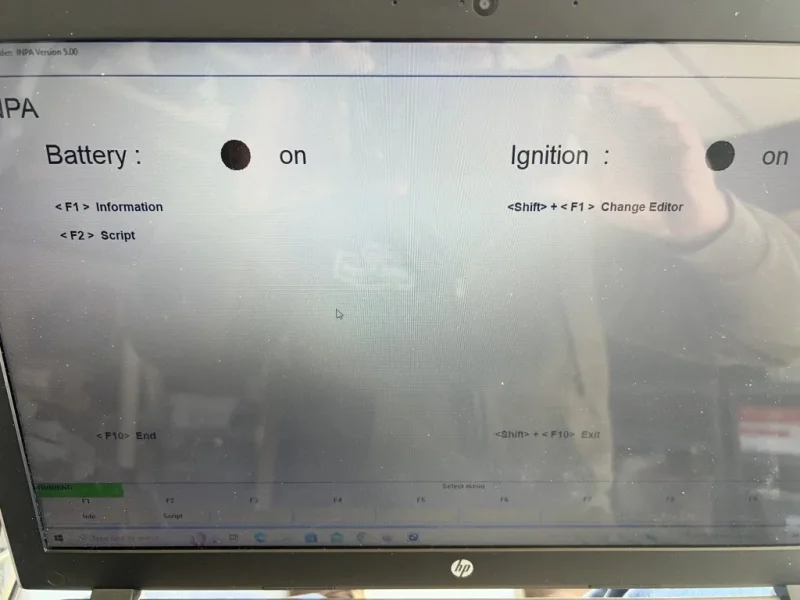
I changed ports from Com1 to Com5 and reloaded software. I got it to read battery and ignition, but now there’s other issues - aaarg!
 

Attachments

  • IMG_2575.webp
    IMG_2575.webp
    270.4 KB · Views: 57
  • IMG_2574.webp
    IMG_2574.webp
    87.3 KB · Views: 52
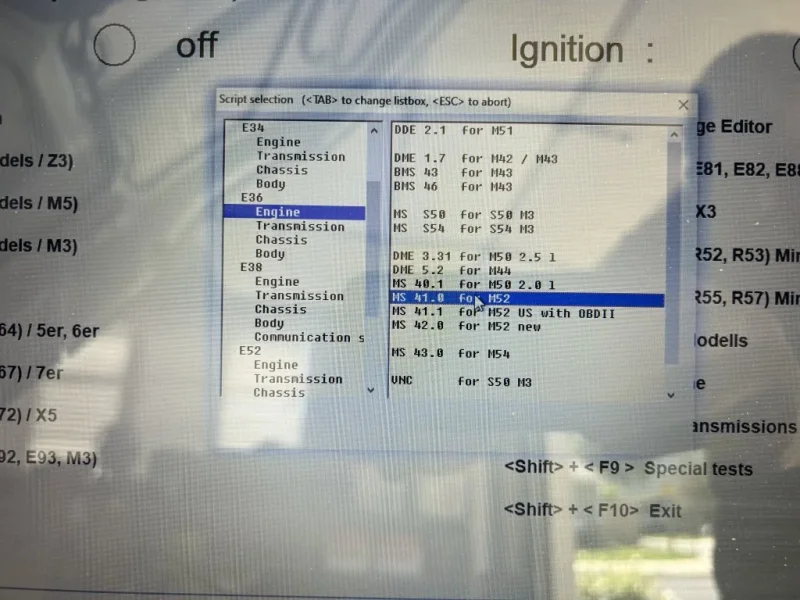
I was finally able to pull up my system info on INPA software and tried to complete a DME sync to the EWS through the analyze tab, but did not have that option? I think my engine is an E36 - M52 for my 1998 BMW Z3 2.8?
 

Attachments

  • IMG_2564.webp
    IMG_2564.webp
    120.7 KB · Views: 52
  • IMG_2570.webp
    IMG_2570.webp
    67.7 KB · Views: 55
  • IMG_2565.webp
    IMG_2565.webp
    111.6 KB · Views: 53
Back
Top